 Share on Facebook
 Share on LinkedIn
 Share on Twitter

t
Support for the Sage200 Manufacturing module has ended. For the manufacturers who ran their production on it, a successor decision is no longer optional. The comparison worth making is not feature by feature, but which platform still makes sense in five years.
If you run a manufacturing business on Sage200, you did not pick this moment. You were getting on with running the company, and a decision made on someone else’s product roadmap landed on your desk.
It is worth being fair about this. Sage200 served a lot of UK manufacturers well for a long time. It handled the accounts, it ran the works orders, and for many businesses it was the first system that pulled finance and operations into something resembling one place. None of that is in dispute, and none of it was a mistake.
But the manufacturing module is now end of life, and that changes the question in front of you. It is no longer ‘should we change’. It is ‘what do we change to, and how do we make that decision well rather than under pressure’. This article is an attempt to help with that second question honestly, including a fair look at every realistic option, not just the one we happen to deliver.
What has actually changed
The facts are straightforward, and worth stating plainly so the decision rests on them rather than on alarm.
Support for the Sage200 Manufacturing module ended on 31 December 2025. The module has been removed from Sage200 in the 2025 R2 release, which means it is no longer part of the product going forward. If you are running an older version, the software does not stop working overnight. It keeps running. What it does not do is receive fixes, updates, or support, and it cannot come with you the day you upgrade Sage200 to a current release.
So the system still switches on. It simply has no road ahead. That is a meaningful distinction, because it means you have time to think, but not a reason to wait indefinitely. Every month on unsupported software is a month where a problem has no fix and a compliance change has no patch.
Faced with that, a Sage200 Manufacturing user really has three honest routes:
The first is to bolt a third-party manufacturing module onto Sage200, such as Cim200 or Sicon. These are credible products with real customers, and they exist precisely to fill the gap the retired module leaves.
The second is to re-platform within the Sage range, to Sage X3 or Sage Intacct, depending on size and complexity.
The third is to move to a modern, cloud-native platform built for manufacturing, such as Acumatica.
All three are legitimate. The rest of this article is about how to weigh them.
What you should actually be comparing
Most ERP evaluations spend their time on a feature checklist. Can it handle our bill of materials? Does it do works orders? How does the warehouse module look? Those are reasonable questions, and any decent system will answer most of them.
The questions that decide whether you are happy in year five are different, and they tend to get less attention:
How deep and current is the manufacturing capability, and is it actively developed?
What happens to the cost of the system as the business grows?
Is it genuinely cloud-native, or older software hosted in a data centre, and what does that mean for upgrades?
Can the people who need the data, on the floor and in the warehouse, actually get to it?
And who delivers and supports it, because the platform and the partner are not the same decision.
Hold those five up against each option and the picture gets clearer.
Acumatica and Sage200, compared on what matters
Sage200’s manufacturing strength was in a now-withdrawn module. A bolt-on can restore this, often well. It adds manufacturing to a financial-centric system rather than a production-based platform. In contrast, Acumatica’s manufacturing is built-in, including bills of materials, routing, MRP, planning, and a configurator—all actively developed. Recent updates added real-time shop-floor data capture and in-transit inventory management for planning. The key difference is ongoing capability development.
Many manufacturers, including Sage200 users, face costs growth due to per-user licensing, which expands unpredictably with business growth activities like hiring, new sites, acquisitions, or granting access to auditors and suppliers. This turns the software budget into a growth tax. Acumatica offers consumption-based licensing, linking costs to transaction volume rather than user count, allowing full workforce access without increasing costs.
Architecture and upgrades. Sage200 can be hosted in the cloud, but older software in a data centre isn't built for the cloud. The gap appears during upgrades. Cloud-native platforms update smoothly, unlike legacy systems that require costly re-implementation. For manufacturers, this means upgrades can be quick or avoided for years.
Real-time visibility and mobility. The recurring issue in disconnected setups is that different parts of the business hold different versions of the truth, leading to decisions based on untrustworthy numbers. A modern platform consolidates production, inventory, and finance on a real-time, accessible ledger from the floor and warehouse, reducing the gap between actual operations and system knowledge.
The bolt-on question. A bolt-on is the least disruptive short-term option, as your team knows Sage200, retraining is minimal, and it quickly addresses the immediate gap. However, it mainly offers a temporary fix, extending the life of an on-premise system likely to need replacement later. You're resolving this year’s issue, not the core problem.
Here is how the options compare across the five criteria that matter most. This reflects our assessment based on publicly available information, not an independent audit.
Manufacturing depth. Acumatica has native, actively developed manufacturing built in: bills of materials, routing, MRP, planning, and a product configurator. A bolt-on, such as Cim200 or Sicon, restores manufacturing capability to Sage200 via a third party, often well. Re-platforming to Sage X3 or Intacct varies by product. The original Sage200 module is now withdrawn.
Cost as you grow. Acumatica uses consumption-based licensing with no per-user fee. Sage200, bolt-ons, and Sage re-platforms all charge per user, so costs rise with every new hire, new site, or external user you add.
Architecture. Acumatica is cloud-native. Sage200 and bolt-ons run on-premise or hosted. Re-platforming within Sage gives a mixed picture depending on the product chosen.
Upgrade burden. Low with Acumatica, no re-implementation required. Medium with Sage200 and bolt-ons. Medium to high with a Sage re-platform.
Shop-floor and mobile access. Built into Acumatica. Limited to Sage200 and bolt-ons. Varies with a re-platform.
Long-term path. Acumatica offers a forward path on one platform. The Sage200 module has no road ahead. A bolt-on extends the life of a system you will likely replace anyway. A re-platform means a new system, either way, the only question is which one.
The honest counter-argument
A fair piece has to concede what is genuinely true for staying close to Sage, because pretending otherwise would not survive contact with your own experience.
Your team knows Sage200. There is real cost, in time and goodwill, in learning anything new. A bolt-on is less disruptive in the near term than a full migration. Running on an older version buys you a little breathing room before you have to act. And migration, whichever direction you take it, is genuine effort that nobody undertakes for fun.
All of that is true. Here is why it still points the way it does.
You must migrate either way. The retired module guarantees a change—adding software, moving within Sage, or leaving it. The question is where to best spend effort. Extending an aging, on-premise, finance-focused system often means doing it again later. Moving to a modern, evolving platform is a more logical choice for growing manufacturers. The principle: don’t patch legacy with more legacy if you’re doing the work.
Compare your options side by side
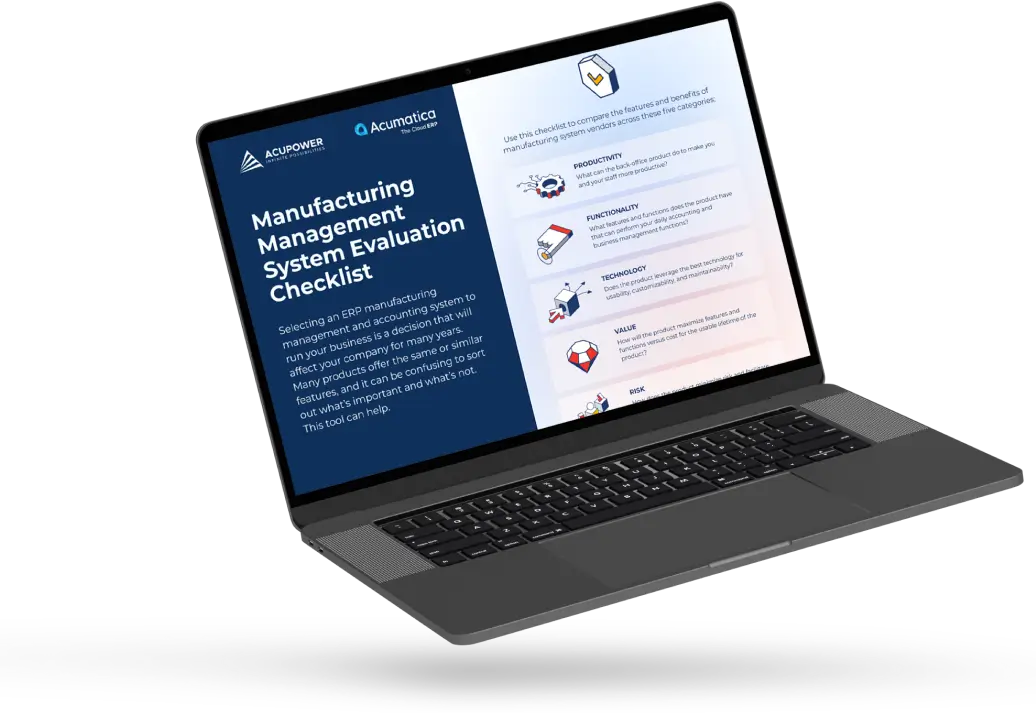
If you are weighing up where to go after Sage 200 Manufacturing, it helps to judge each option against the same criteria rather than on how familiar it feels.
The team put together a practical evaluation checklist that lets you compare manufacturing systems side by side across functionality, technology, cost, and risk.
It is a clear-headed way to see where each option actually stands before you commit to any of them.
Download the Manufacturing ERP Evaluation Checklist
What to do next
If you are on an older version of Sage200 with some time in hand, use it. Do not let the decision drift simply because the software still runs. Map what your business actually needs from a manufacturing system, look properly at all three routes, and judge each against the five criteria above rather than against how familiar it feels. Time spent thinking now is what keeps this decision on your terms.
If you are at the point of upgrading Sage200, the decision is more immediate, because the moment you move to a current release the manufacturing module is no longer there. That is the natural decision point to choose your successor deliberately, rather than reaching for whatever requires the least change this quarter.
Either way, the right next step is the same: a clear-eyed look at how your business actually makes things, and which platform supports that for the next five years rather than the last fifteen.
The best way to understand whether Acumatica fits the way your business runs is a proper conversation about your operation, not a feature tour.
Comments (0)
No comments yet
Be the first to comment


 56
56