 Share on Facebook
 Share on LinkedIn
 Share on Twitter

7 min read
MRP tells you what to buy, what to make, and when. Whether it tells you the right thing depends on a handful of settings most planners were never walked through.
Here’s a scene that plays out in many factories from the Midlands to the North East on a Monday morning.
The planner runs MRP. A list of recommendations appears. And then, before anyone else sees it, they quietly override a third of it by hand. This one’s too small to be worth raising. That one’s larger than we’d ever hold. This supplier won’t ship in that quantity anyway.
The system did the arithmetic. The planner did the judgement.
That’s usually read as a people problem. The planner knows things the system doesn’t. Of course they override it.
But when the same items get overridden the same way every week, that isn’t judgement. It’s a setting that’s wrong and being corrected by hand forever. And it’s costing you a skilled person’s attention every planning cycle.
By the end of this article, you’ll be able to look at your own MRP output and work out which of nine settings is behind the recommendations your team keeps correcting. That’s the whole game, and it’s easier to learn than it looks.
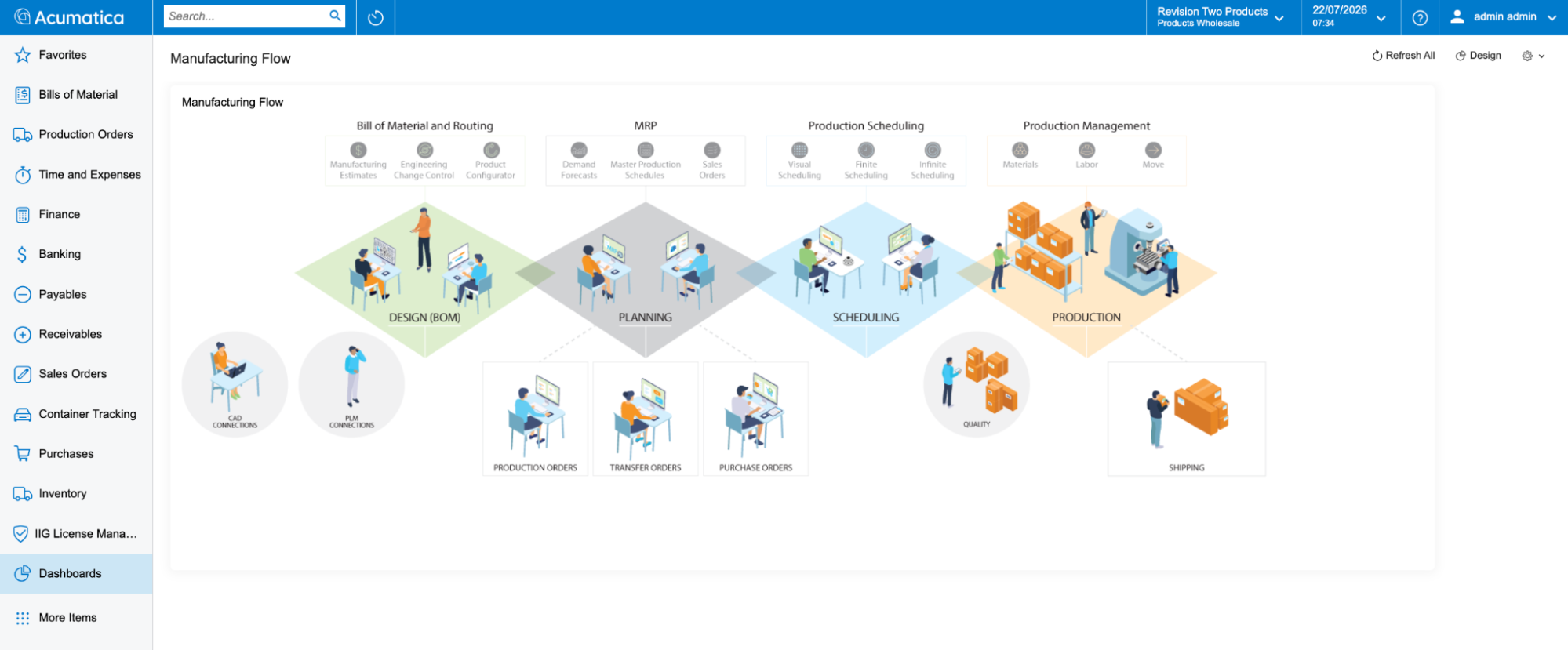
Where MRP sits in the wider manufacturing flow. It takes demand forecasts, the master production schedule and sales orders, and turns them into production orders, transfer orders and purchase orders for the stages that follow.
What MRP actually does
MRP compares supply against demand and recommends what to buy, make and move.
Supply means on-hand stock, open purchase orders, inbound transfers from other sites, and production orders already in flight.
Demand means sales orders, forecasts, outbound transfers, and material needed for open production orders.
It exists to answer three questions.
What components do we need?
How many of each?
When do we need them?
That last question is what separates MRP from a reorder point. A reorder point handles independent demand that comes from the market: a customer places an order, or a forecast indicates they will. MRP handles dependent demand, which comes from what you’ve already promised to build. Commit to 400 assemblies and the demand for every component follows automatically, level by level, down the bill of materials. Reorder points can’t see that. They only see stock falling below a line.
Four things go in: sales orders, forecasts, bills of materials, inventory records.
Four things come out: recommended purchase orders, the material plan, work orders, exception reports.
None of the four inputs is optional, and this is where MRP projects come unstuck. A bill of materials that’s 90 per cent accurate doesn’t produce a plan that’s 90 per cent accurate. The errors compound as they cascade down the levels. Get the BOM and the lead times right before you judge the output.
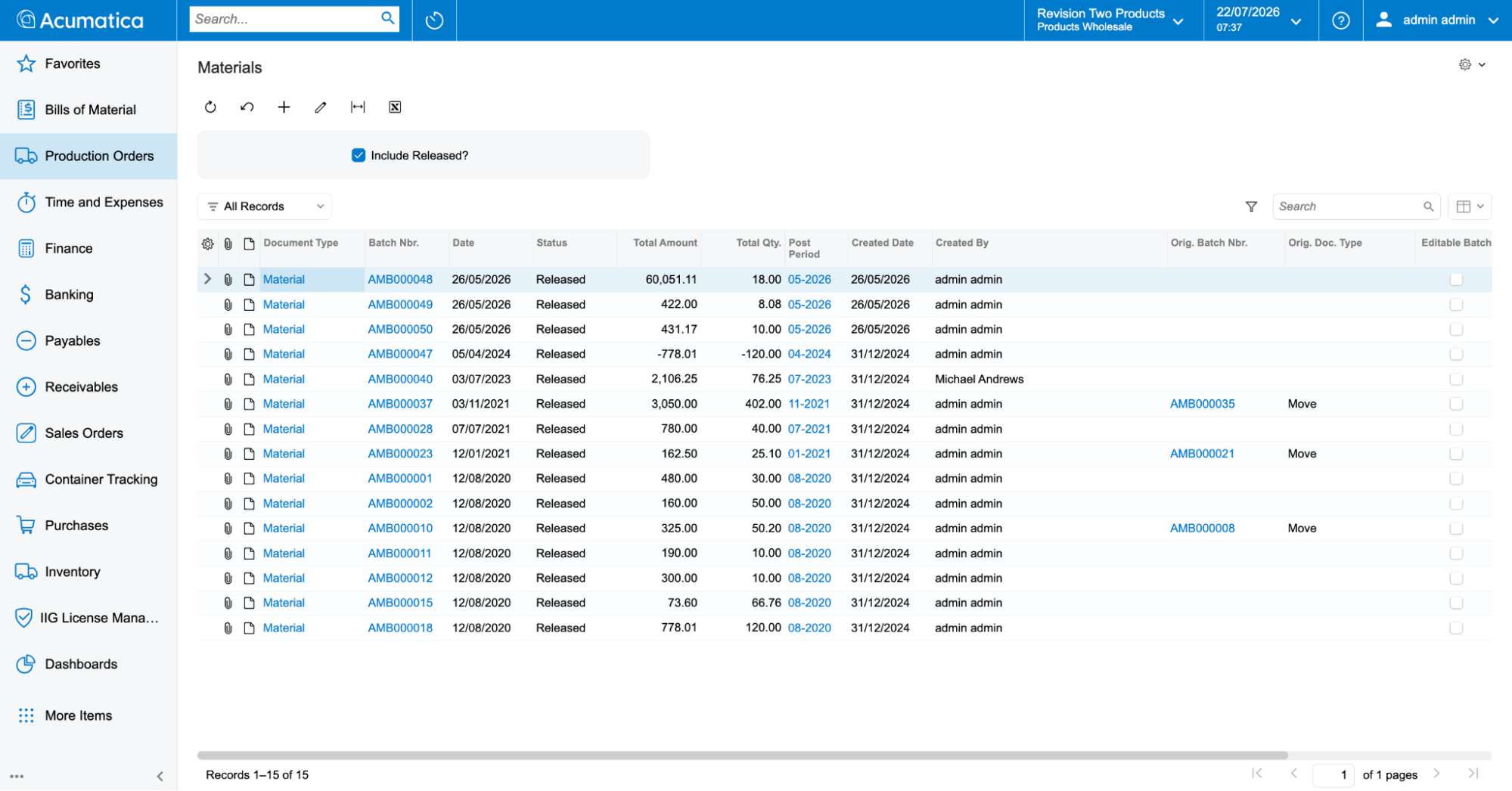
Production material transactions in Acumatica, each tied to the batch and document that created it.
The nine settings that decide what MRP tells you
Most manufacturers already have something that produces recommendations. Very few have been shown the settings that decide what those recommendations look like.
There are nine that matter.
1. Safety stock is the buffer you hold against variability. Too low and you’re firefighting. Too high and you’ve quietly funded a warehouse with working capital.
2. Reorder point is the level at which replenishment triggers. Often the only one anybody’s ever adjusted.
3. Minimum and maximum order quantity match the plan to what your suppliers and your line will actually accept. If your supplier won’t ship fewer than 200 and MRP keeps recommending 60, someone is fixing that by hand every time.
4. Lot size rounds demand up to workable multiples. With a lot size of 5 and demand for 37 units, MRP plans an order for 40. Without it, you get 37, and then a conversation with a supplier who ships in fives.
5. Days of supply decides how far forward a single order should cover. It’s also the lever that stops MRP raising a separate order for every demand line.
6. Long-term consolidation buckets do the same for demand beyond your immediate planning horizon, grouping it into sensible periods rather than treating every distant requirement individually.
Many UK manufacturers run this across more than one site, often importing EU components into a single GB hub before moving them on, so consolidation has to work in more than one location and more than one currency. Get the buckets right and MRP groups that distributed demand sensibly; get them wrong and you’re raising separate orders for sites that could have shared one.
7. Lead times need to reflect reality, and there are more of them than people expect: purchasing, manufacturing, transfer between sites, and any inspection or quarantine period before stock is genuinely available. Material sitting in goods-in awaiting inspection isn’t available, and your plan shouldn’t pretend it is.
For UK manufacturers importing components, that reality now includes border checks. Under the Border Target Operating Model, customs and SPS controls introduced from 2024 add variable time at the frontier, and a lead time set before those checks existed will quietly under-plan every imported part.
8. Demand time fence controls the window in which forecast stops competing with real orders. Inside the fence, only actual customer orders drive the plan. Without a sensible fence, you’re planning next week against a prediction you’ve already been proved right or wrong about.
If your inbound supply swings with customs clearance and freight, a fence set too short has you re-planning against noise you can’t control.
9. Grace period sets how many days after a requested date a receipt still counts as meeting demand. It stops MRP flagging an order as late when it’s arriving on Tuesday instead of Monday and nobody minds.
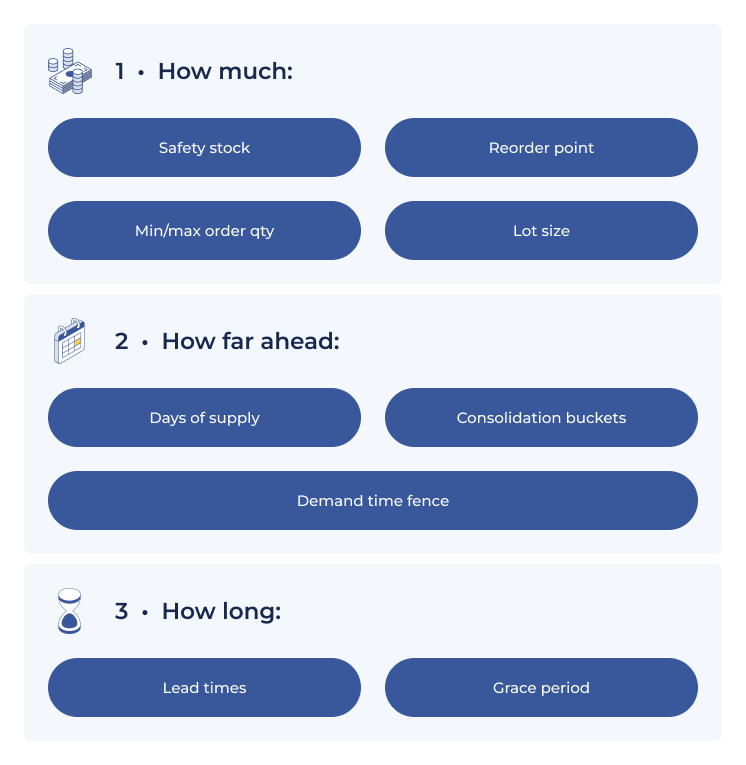
The nine settings behind every MRP recommendation, grouped as (1) How much — Safety stock, Reorder point, Min/max order quantity, Lot size; (2) How far ahead — Days of supply, Consolidation buckets, Demand time fence; (3) How long — Lead times, Grace period]
Where this shows up, and where it hides
Two cases make the point. On a fast-moving line with strict batch rules, MRP keeps proposing quantities that are either too small to run economically or bigger than you’d want to hold, so the buyer adjusts every recommendation before raising anything. Minimum order quantity, maximum order quantity and lot size move that judgement out of the buyer’s head and into the system.
On a slow mover with irregular demand, MRP raises a separate recommendation for each demand document. Every one carries a real cost in buyer time, approvals, goods-in and invoice matching. Days-of-supply consolidation groups that demand into a handful of orders instead, and the saving is in transaction volume rather than unit price.
Now the part that hides. These settings cascade through three levels: item class, then stock item, then item warehouse details. That’s useful, because you set a default once and override only where you need to. It’s also where the problem lives. A default that’s right for the class can be quietly wrong for one item at one site, and nobody notices, because the person it affects has been correcting it manually for two years and stopped calling it a problem.
For a quick diagnostic, ask your planner which items they always override. That list is your parameter audit.
If it would help to work through your own settings systematically, we’ve put together a short MRP settings audit you can download and run against your own output. It walks through all nine, in order, with the symptom each one produces when it’s wrong.
Download the Free Checklist Here
Transfer before you purchase
The cheapest supply is often stock that already exists somewhere else in your business.
Picture a three-site chain. A distribution centre keeps running short on fast movers. It’s supplied by a manufacturing site two days away, which is itself waiting on a component from a supplier site three days beyond that. Every site can see its own stock. Very few systems plan across all three.
What good looks like: MRP exhausts internal stock before it triggers an external purchase.
That needs default transfer lead times for each warehouse pair, item-level overrides where a specific part moves differently, and a source warehouse set on the item so the system knows where replenishment comes from.
Two exceptions tell you the setup is wrong. A circular transfer exception appears when warehouses form a closed replenishment loop for an item, each pointing at the other. A transfer-without-replenishment-warehouse exception appears when an item is set to replenish by transfer but nobody’s said where from. Both are configuration errors rather than supply problems, and both stay invisible until the system surfaces them.
For manufacturers holding stock across more than one UK site, or pulling EU-sourced parts into one location before distributing, planning the transfer before raising a new purchase order avoids paying twice for the same shortage.
Traceability, and why planners live in exceptions
Ask a planner what they actually use and it usually isn’t the full recommendation list. It’s the list of things that have changed since yesterday.
Expedite this. Defer that. Cancel this one, the demand behind it has gone. Plus the quieter signals: orders with no scheduled shipment date, transfers available that nobody’s taken up, supply arriving after the demand it was meant to cover.
That’s the daily job. Managing by exception, not re-reading the whole plan.
Which brings us to the thing that separates a planning tool from a planning system. A recommendation should be able to tell you where it came from. In practice that means each suggested supply document carries its related document, its related parent document, its related product document, and a consolidation ID where several demands were grouped into one order.
That chain lets a planner take a suggested purchase order and walk it back to the customer order that caused it. It lets them tell a sales manager why a part lands on the 14th, and explain six months later why the order was raised at all.
Put plainly: if you can’t trace a purchase order back to the demand behind it, you can’t defend the plan and you can’t audit it.
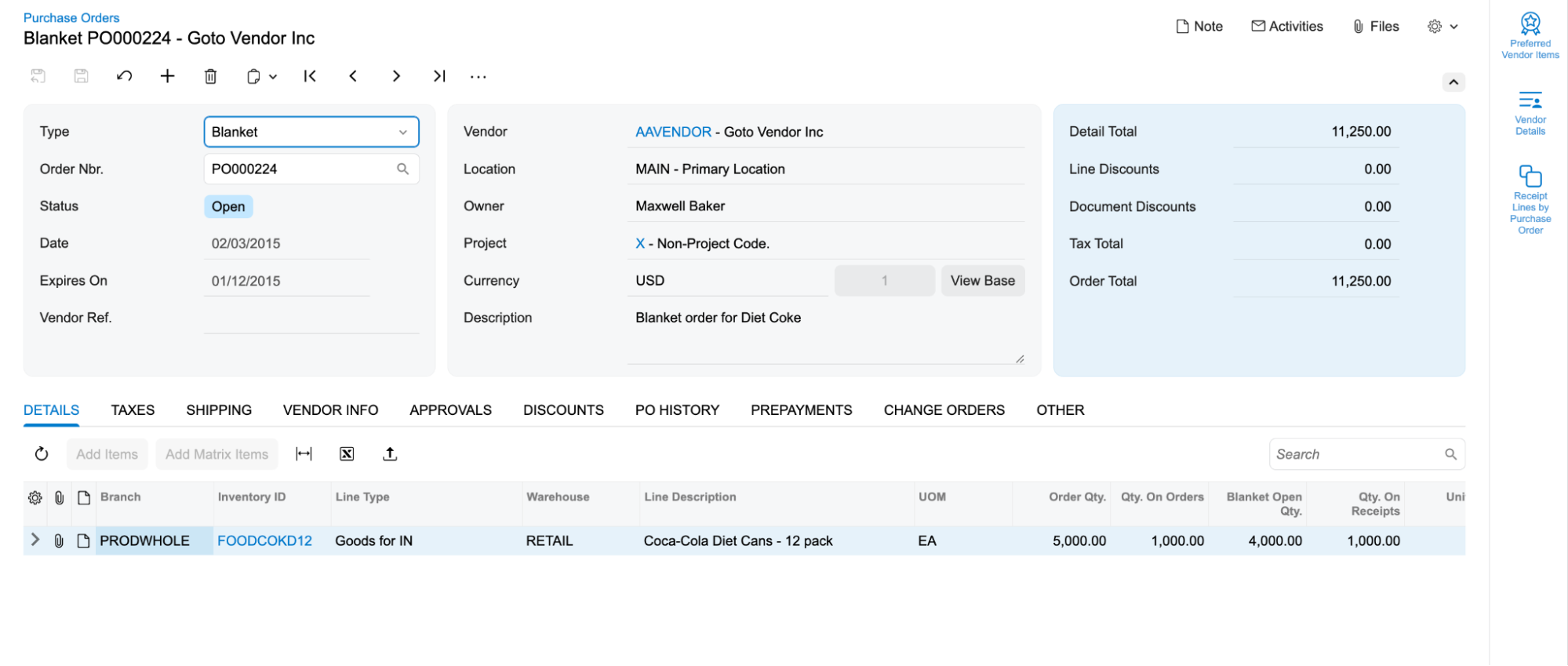
Every suggested supply document traces back through its related documents to the sales order that caused it.
MRP setting audit
The nine above are worth working through against your own output rather than reading and nodding at. The way to do it is to run MRP as normal, then sit with whoever works the recommendation list and ask which items they correct every cycle, and how. That list of corrections is the audit. Each of the nine settings produces a recognisable symptom, and matching the correction to the symptom tells you which setting is behind it.
We have put the nine into a checklist you can fill in as you go, with the symptom for each one, the questions to ask, and space to record the items affected and what you intend to do about them. It works with whatever system you are running.
Download the Free Checklist Here
If you’re evaluating a new system
Everything above applies, whatever you’re running. But if you’ve reached the point of considering a replacement, the underlying architecture behind these settings starts to matter as much as the settings themselves.
If you’re running Sage 200, your manufacturing and MRP capabilities most likely arrive as a third-party add-on, such as Cim200 or Sicon, rather than as part of the core product. Those are established products and plenty of UK manufacturers run them well.
The point isn’t their quality. It’s the architecture that they are built on.
When planning parameters, stock, bills of materials, purchasing and financials sit across a core system plus a bolted-on suite, you’ve more integration to maintain at every upgrade, more places a setting can live, and a demand-to-supply chain that has to cross an integration boundary. That boundary is the one from the section above, and it’s where the chain tends to break.
Native MRP avoids it by keeping everything in one system: parameters at all three levels in one place, end-to-end traceability, planning horizons that keep generation times sensible, built-in exception messaging, and transfers planned before purchases.
Four questions will tell you most of what you need to know about any system you look at:
At what levels can I set lot sizing and days of supply?
Can I see which customer order this purchase order is for?
Will it plan a transfer from another site before it plans a purchase?
Is MRP part of the core product, or a separate module I’m licensing and integrating?
If you want to test how well a system answers those against your own requirements, Brendan can walk through them with you.
Book a Conversation with Brendan
Further reading: If you’re weighing up a move specifically because your Sage 200 manufacturing module is reaching end of life, read ‘Sage 200 Manufacturing Is End of Life. What Should Replace It?’ on the AcuPower blog. And if you want to understand why Acumatica keeps coming up in mid-market manufacturing evaluations, it’s worth knowing the independent picture: Nucleus Research named it a Leader in the 2026 SMB ERP Technology Value Matrix, with the highest usability score of any SMB vendor assessed, and G2 rates it the highest-rated system among its top 20 ERPs. Usability matters here more than it may sound, because it’s the difference between settings a planner can find and those buried three screens deep. For the fuller case, see ‘Best ERP for Manufacturing: Why Acumatica is the Top Choice in 2026’.
Common questions about MRP
What’s the difference between MRP and ERP?
Scope. MRP is a planning function focused on materials, inventory and production scheduling. ERP is the wider platform that runs the business, including finance, sales, purchasing and CRM, with MRP as one part of it. MRP can’t work in isolation, because it depends on data that lives elsewhere in the ERP: stock, bills of materials, purchase orders, sales orders.
We already use reorder points. Do we need MRP?
Reorder points work when demand is steady and independent. They react to stock falling below a line. MRP looks forward, explodes demand down the bill of materials, and plans for requirements you haven’t hit yet. If you make anything with components, reorder points will leave you short at the wrong level.
How often should MRP be run?
It depends on how quickly your demand changes, but daily regeneration is common and some manufacturers run it more often. The practical constraint is whether your system lets you regenerate during the working day without clearing users out. If it doesn’t, that constraint is shaping your planning cycle rather than your business doing so.
Does MRP handle UK import lead times and Brexit border checks?
MRP is only as good as the lead times you feed it; under the current border regime, imported-component lead times need to reflect customs and inspection time, which is exactly what settings 7 and 8 control.
What data do we need before MRP will work?
Accurate bills of materials, accurate lead times, and inventory records you trust. Get those three right first. MRP applied to poor data produces confident recommendations that are wrong, which is worse than no recommendations at all.
Is MRP only for large manufacturers?
No. The value of MRP rises with complexity rather than volume. A business making a small number of products from many components, with multiple sites or long lead times, will feel the benefit sooner than a larger business making one simple thing.
Comments (0)
No comments yet
Be the first to comment


 40
40