 Share on Facebook
 Share on LinkedIn
 Share on Twitter

AcuPower Blog | AcuPower
13 min read
Acumatica 2026 R2 puts AI inside the screens people already use and opens ERP data to outside AI tools, with new capability in every edition. Here are the key features and what each one means in practice.
If you missed the Acumatica 2026 R2 launch presentation, this is the summary. Acumatica describes its direction as a move from a system of record to a system of intelligence. In plain terms, your ERP shouldn’t only store what happened. It should help you see what’s happening, spot what needs attention and act on it.
26R2 takes that idea further. AI now sits inside screens people already use, from sales orders to the financial ledger. ERP data can be opened to outside AI tools under the access rules you already have. Each edition gets deeper, industry-specific features.
We start with the platform changes, then go edition by edition: General Business, Manufacturing, Distribution, Construction and Professional Services, and Retail. Along the way, we say what’s available in this release and what’s still in development.
Table of Contents:
What Acumatica announced for 26R2
AI Assistant: ask your ERP a question
AI Studio and automation: what ships now, what comes next
Connecting Claude, ChatGPT and other AI tools to Acumatica
Faster reporting with the data warehouse
A Modern UI release: what changed in the platform
General Business: finance, payments and CRM
Manufacturing: shop floor, scheduling and engineering change
Distribution: available-to-promise, allocation and replenishment
Construction and professional services: compliance, structure and margins
Retail: Shopify, returns and payment reconciliation
What Acumatica announced for 26R2
The launch session focused on four pillars.
Pragmatic intelligence: AI built into daily work, not sold as a separate add-on.
Open connections: Standards that let your ERP work with outside AI tools without lock-in.
Performance at scale: An embedded analytics engine that runs alongside live transactions.
Vertical depth: Industry logic that works out of the box.
Acumatica shared a three-phase plan for AI in the same session.
Phase 1, assistance (now). Ask questions in plain language, extract data from documents and get help in context.
Phase 2, agentic automation (2026 to 2027). AI agents that carry out multi-step routines, with a person approving the results.
Phase 3, strategic autonomy (2027 onwards). Planning and forecasting that adjust themselves.
26R2 is mostly a phase one release. AI Studio adds the first building blocks for phase two. Autonomous agents with sign-off, and anything beyond them, are Acumatica’s stated direction, so read them that way.
AI Assistant: ask your ERP a question
The AI Assistant gives you a chat window across the module screens. You ask in plain language. It answers from your live data.
You can also ask it to build a Generic Inquiry (GI) for you. A GI is Acumatica’s way of making a custom view of your data, and it usually takes someone who knows the data model. Here, you describe what you want and get one.
It also works inside specific screens:
Sales orders and inventory: Ask which warehouse can fulfil 500 units of an item by next Friday, or what in-stock alternatives exist for an item that’s run out.
Finance: Fifteen rebuilt historical inquiries show AR, AP and inventory ageing at any past date, and the assistant can answer questions about them.
The assistant answers from your data, so it’s only as good as that data. Clean item records, correct dates and consistent customer details matter more once anyone can ask questions about them.

AI Studio and automation: what ships now, what comes next
AI Studio is a low-code builder. Administrators and developers use it to create custom AI workflows and set the triggers that start them. You write a standard procedure and the AI follows it. Acumatica’s examples include summarising accounts, handling customer tier upgrades and analysing contracts.
That’s part of 26R2. It’s also the base for phase two.
What isn’t here yet is the full agent picture. Acumatica describes agents that act on events. For example, an agent could contact a supplier when stock drops below a reorder point, then present a recommended purchase order for approval. That sits on the 2026 to 2027 horizon. You can’t switch it on today.
So the practical position is this: you can build and test AI workflows now, with a person at the approval step. Autonomous agents are what comes later.
Connecting Claude, ChatGPT and other AI tools to Acumatica
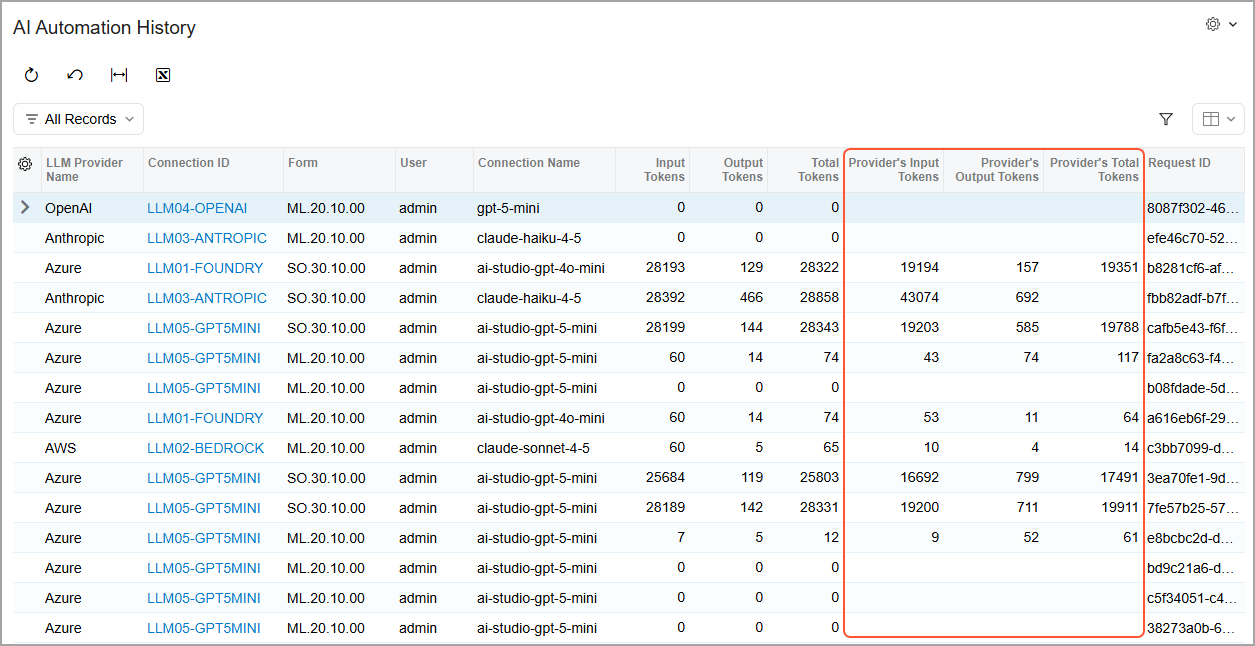
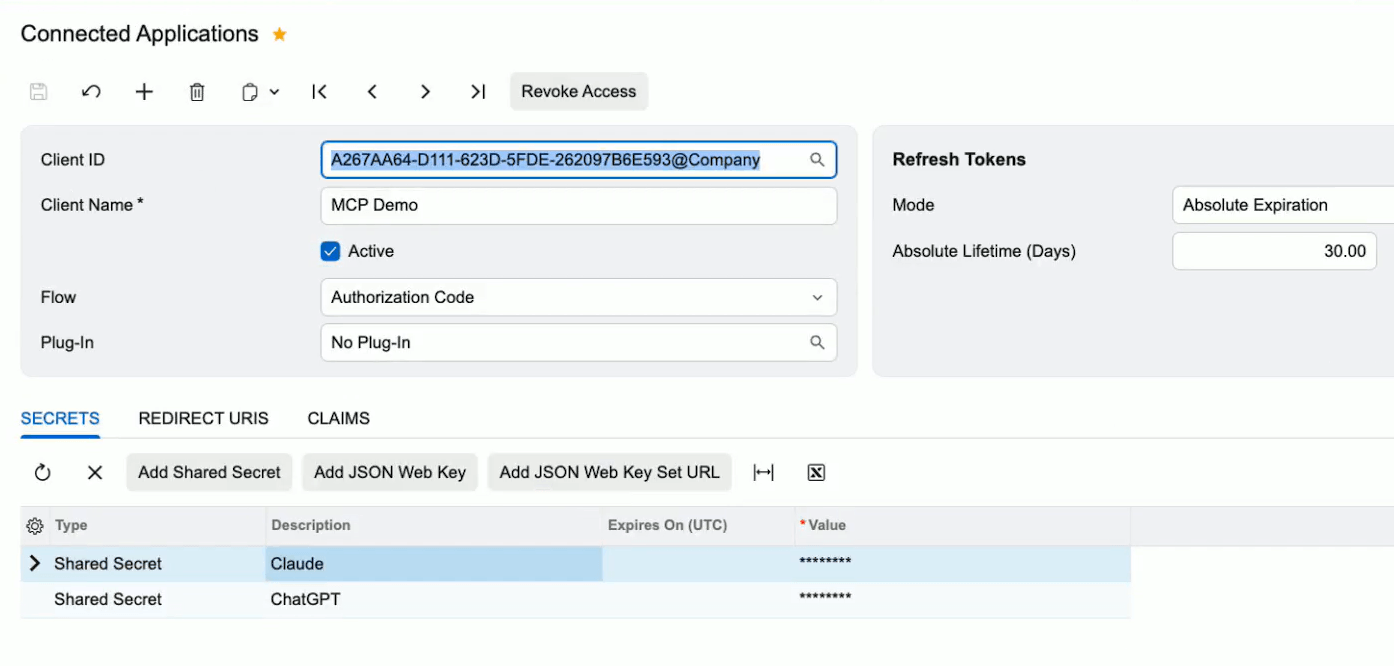
MCP stands for Model Context Protocol. It’s an open standard that lets AI tools such as Claude and ChatGPT request data from a business system in a consistent way. Until now, each AI tool needed its own custom integration. With 26R2, you set up an MCP server in Acumatica once and connect clients to it.
Here’s how it works. An administrator enables the MCP Server feature and creates a server in AI Studio. They then add published Generic Inquiries to it. Each inquiry becomes a tool that an AI client can call. The client can filter, sort, and page through the results, and choose which fields are returned.
The security model is the part worth reading twice.
Users sign in through OAuth 2.0.
Every request runs as the signed-in Acumatica user, so they only reach the tools and data their access rights allow.
Acumatica checks those rights again on every call.
Every call is logged, and you can review the log in Access History.
In practice, someone could ask Claude about delayed orders, and Claude would call an inquiry your administrator has already approved.
Know the limits. In this release, the tools are built on Generic Inquiries, which retrieve data, so you decide what the AI can see by choosing which inquiries to publish. An administrator has to set it up. And Acumatica recommends keeping each server to 50 tools or fewer, so the AI picks the right one.
Faster reporting with the data warehouse
Some inquiries are slow because they pull from many tables every time someone opens them. In 26R2, an administrator can store an inquiry’s results in a separate table in the Acumatica database. Acumatica calls this a data warehouse table.
When someone opens the inquiry, Acumatica loads the results instead of rebuilding them. The same stored data feeds dashboards, OData, pivot and grouped views, and MCP tools. One setting speeds up several places.
Administrators switch it on for each inquiry and set how often the data refreshes. You can also refresh by hand. The heavy work happens on that schedule, not every time someone looks.
Three limits are worth knowing.
Access rights: Field-level access restrictions are not applied to the stored data.
Coverage: Some inquiries can’t be stored this way.
Location: The table sits in your Acumatica database today. Acumatica plans to allow a separate location in a future release.
A Modern UI release: what changed in the platform
The Modern UI is now the only interface. Screens that exist only in the Classic UI still open in 26R2, but they show a warning that they’ll be deprecated in the next release. Acumatica has said that Classic-only forms will no longer be available from 2027 R1. Existing Classic dashboards and pivot tables can still be opened in 26R2.
Two more platform changes are worth noting.
PostgreSQL in production. PostgreSQL is now supported for production deployments. In 26R1 it was a preview.
API Monitoring. A new tab in System Monitor shows request volume, errors, throttling and licence use for your integrations.
General Business: finance, payments and CRM
The General Business edition covers finance, payments and CRM. This is where much of the everyday AI sits.
Finance
Refunds in the current period: Customer and vendor refunds for transactions in a closed period can post to the current open period. Nobody has to reopen the old one.
Historical ageing: 15 rebuilt inquiries show AR, AP and inventory ageing at any past date.
Bank reconciliation: Machine learning maps payees from past bank transactions and learns from the corrections your team makes.
Financials MCP server: Outside AI tools can query finance inquiries, such as general ledger balances, customer balances and vendor details. One use is checking a vendor statement against your open payables.
Payments
Traild integration: Traild reads invoices from PDFs, scans and emails, and learns from corrections. It matches purchase orders, goods receipts and invoices line by line, suggests GL coding for non-PO invoices, and checks for altered bank details and duplicate invoices. It also compares vendor statements with open balances.
Bill.com: Pay vendors in over 130 currencies, with exchange rates kept in sync.
AvidXchange: Route each payment by the vendor’s preference: virtual card, direct deposit or cheque.
CRM
Email priority and sentiment: AI scores incoming emails as immediate, soon or routine. It scores opportunities and cases as satisfied, neutral or unsatisfied.
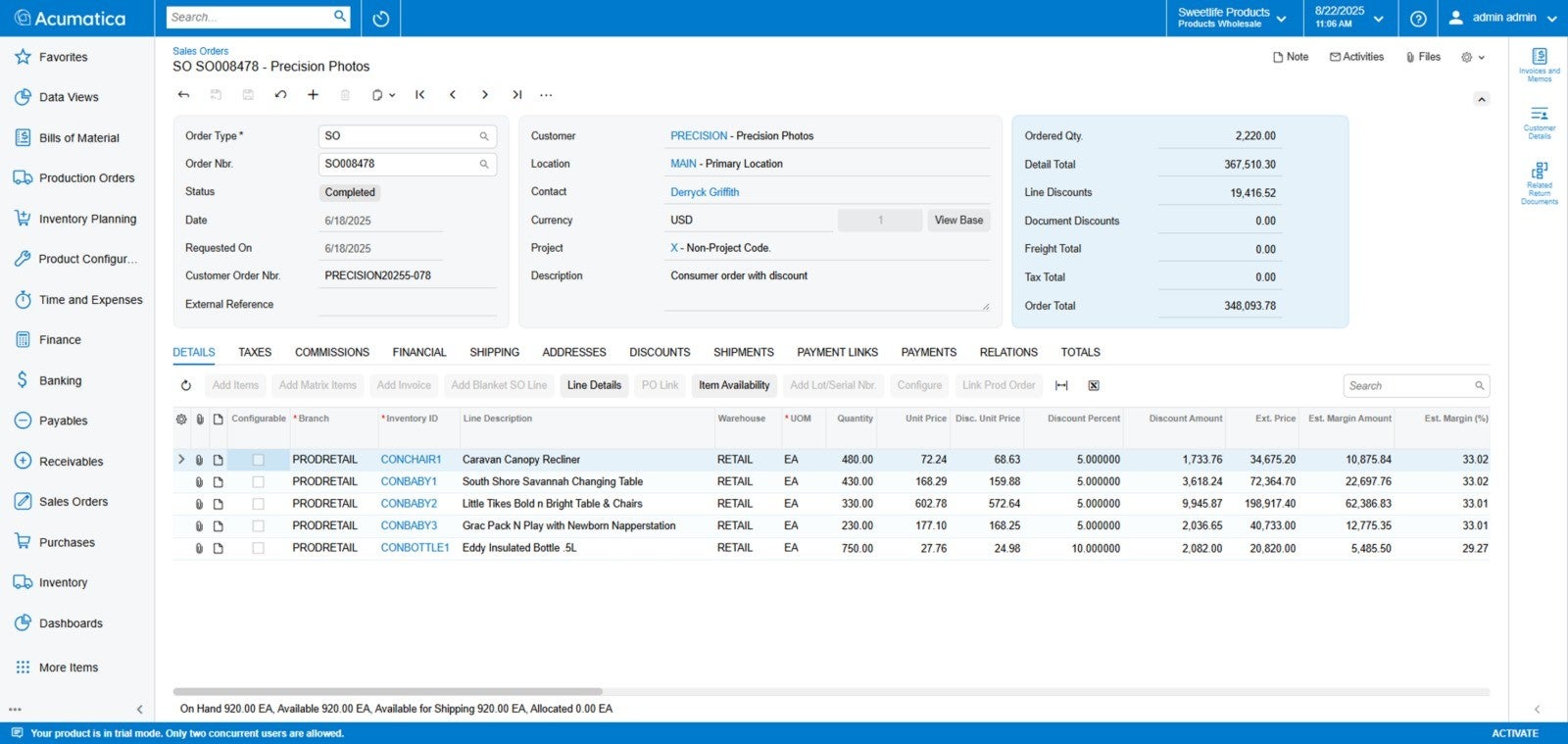
Guided selling: Sales reps see available-to-promise stock inside opportunity and sales order screens, with suggested substitutions, cross-sells and upsells.
Modern activity stream: Emails, calls, notes and tasks sit on one timeline. You can reply, pin and tag colleagues in place.
Subscription preferences: SendGrid preference groups let customers choose which email categories they receive.
A regional note: a few items in this edition are aimed at the US and Canada. They include IRS 1099 e-filing, same-day ACH and Canadian payroll tax rules. Check which ones apply where you operate.
Manufacturing: shop floor, scheduling and engineering change
The Manufacturing edition focuses on four areas.
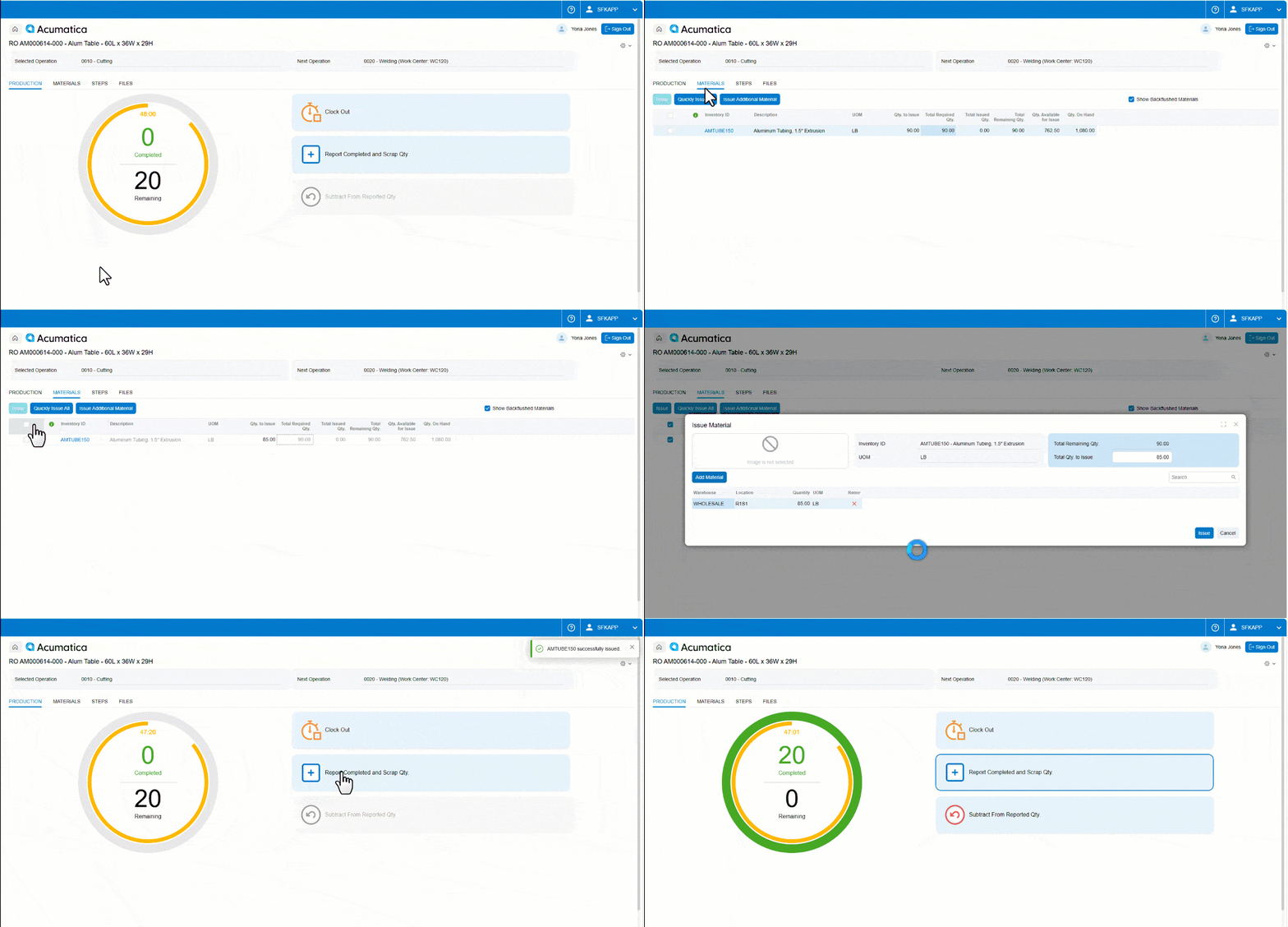
Shop Floor Kiosk 2.0. This is the touch screen your operators use on the floor. It now lets them:
Issue materials at a specific operation, not just at the order level, for more accurate work-in-progress costing.
Swap in an authorised substitute material, with an audit trail.
Log attributes such as cure date, surface finish, dimensions and QC results on lot or serial records.
Record scrap with reason codes and correct completed quantities.
Scheduling. Advanced Planning and Scheduling lets you mix finite and infinite capacity by work centre. It schedules down to the minute and handles overlapping shift calendars.
Engineering change orders. BOMs and routings carry versions with pending, active and historical status. Phase-in and phase-out dates control which components work orders use. You can also see how a pending change affects open production orders before you apply it.
AI shop floor analytics. The AI Assistant compares work centre speeds with historical standards and flags slowdowns. It looks for causes such as material shortages or downtime, and suggests re-routing before a delay reaches a delivery date.
Distribution: available-to-promise, allocation and replenishment
The Distribution edition is about knowing what you can promise and keeping stock where it’s needed.
90-day available-to-promise: Acumatica looks at open sales orders, purchase orders, work orders, transfers, and vendor lead times to calculate net available stock for any date in the next 90 days. Sales reps can commit to a delivery date while they’re building the quote.
Multi-warehouse allocation: You set rules to route orders by customer proximity, stock level or fulfilment cost. Split-shipment and backorder rules are automatic. Safety stock alerts can recommend transfers from surplus warehouses.
AI Assistant in sales and inventory: Staff can ask plain-language questions inside the order and inventory screens. Which warehouse can fulfil 500 units by Friday? What’s a suitable alternative for an out-of-stock item?
Container tracking and matrix inventory: You can track in-transit containers down to the individual SKU. Landed cost spreads across items by weight, volume or value. A matrix grid speeds up variants such as size and colour, and lets you update prices and attributes across a whole family at once.
Dynamic reorder points. Reorder points adjust to sales speed, seasonality and supplier lead times. Acumatica drafts purchase orders and transfer requests when stock crosses a threshold. Planners review and approve them in bulk from one dashboard.
Construction and professional services: compliance, structure and margins
This edition tackles three things: paperwork, project structure and margin leakage.
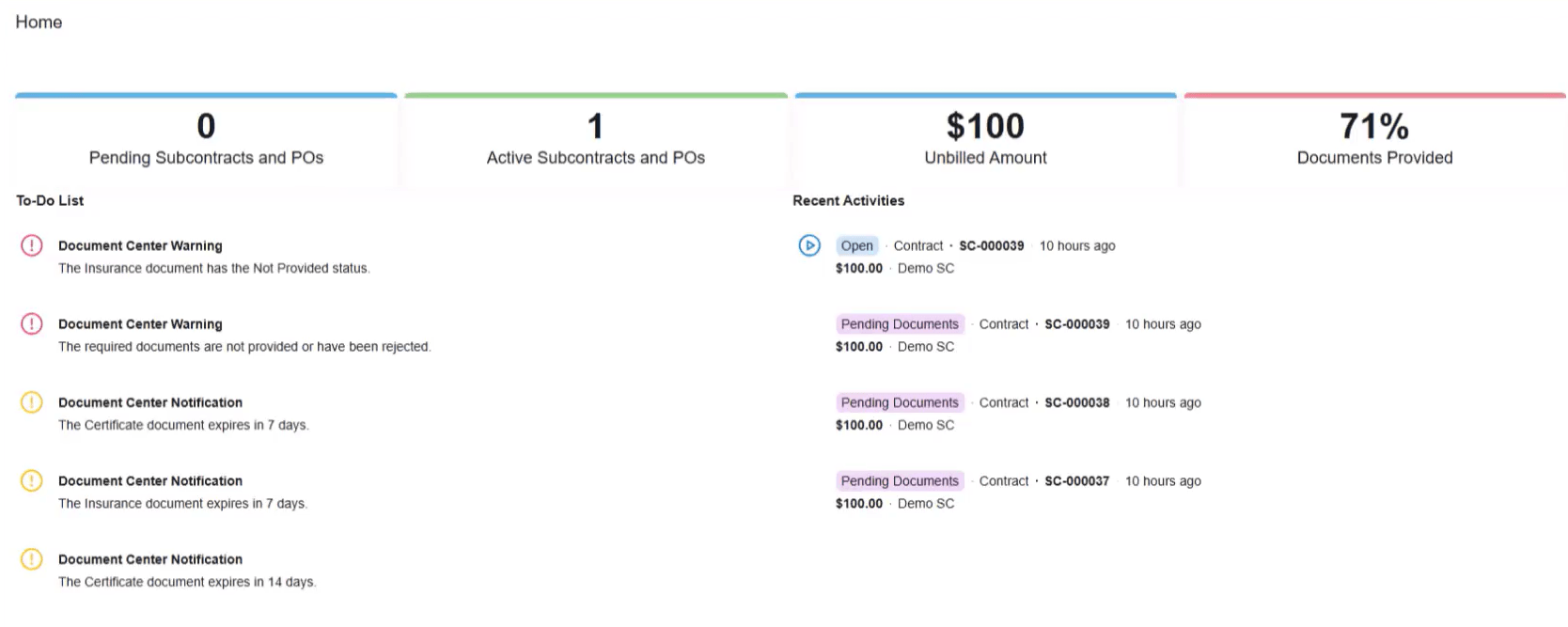
Construction Exchange: Subcontractors use a secure portal to submit certificates of insurance, lien waivers, safety certificates and tax documents. Acumatica checks coverage dates and policy limits. If a document expires or fails the check, it puts a compliance hold on that vendor’s payments.
Parent and child projects: Large jobs, such as a tower build with separate scopes, can have child projects for each phase. Budgets, commitments and costs roll up to the parent. Each child keeps its own billing schedule, and change orders and risk reserves stay separate.
Branch cost allocation: You can spread shared labour, equipment, and overheads across branches by rule. Intercompany journals balance automatically. You can reclassify costs between cost codes, types or branches with a full audit trail.
Change orders: Owner change orders link to subcontractor change orders, so commitments follow what the owner approved. The edition also produces AIA G702 and G703 billing reports that follow US standards.
AI for compliance and costs: The AI Assistant reads uploaded insurance PDFs, pulls out expiry dates and limits, and alerts project managers before a subcontractor arrives with a lapsed policy. It also compares percentage complete with burn rate to flag cost overruns early.
WIP and margin dashboards: Dashboards show percentage-of-completion revenue and over- or under-billing. Margin drift alerts compare the original margin with the revised forecast. Views are tailored for executives, project managers and controllers.
Retail: Shopify, returns and payment reconciliation
The Retail edition connects the web shop, the till and the finance team more tightly.
Shopify returns and exchanges: Returns and exchanges started in Shopify or in Acumatica now sync both ways. Credit memos, refunds, and store credit appear in both systems, so nobody keys them twice. An exchange recalculates tax, shipping and stock allocation without breaking the fulfilment.
Restocking: Returned items marked for restock update stock levels across your warehouses and your Shopify storefront. Damaged or non-restockable items go to an inspection or scrap location, so they don’t get listed for sale by mistake.
Fulfilment tracking: Tracking details for multi-package and split shipments are pushed to Shopify. Customers get status messages with the right tracking links and package counts.
Payment reconciliation: The AI Assistant reads settlement files from gateways such as Shopify Payments, Stripe and PayPal. It matches each transaction to your open invoices and receipts. When something doesn’t match, because of a chargeback, a fee or a currency conversion, it suggests how to clear it. Over time, it learns your regular fee patterns.
Matrix items: Build a base template with attributes such as size, colour, style, or material, then generate the full set of variants in one go. You can change prices, promotional tags, and reorder points across an entire family at once. The attributes map to Shopify options and variants, so your online catalogue keeps its structure.
Point of sale: Checkout screens are faster, with barcode scanning and quick-pay options. Staff can check stock at nearby stores and warehouses while the customer is still at the counter. Buy online, pick up in store orders are handled straight from the POS screen.
Customer portal: Buyers can start a return, choose a reason and create a return shipping label themselves. They can also see order stages, tracking and past invoices, whether they’re consumers or business customers.
What to weigh up
A release summary should tell you what to check as well as what’s new. Four points are worth keeping in mind.
Most of the AI here is assistance: The AI Assistant, document reading, and suggestions help your people do the work. Autonomous agents are Acumatica’s direction for the next phases, not part of 26R2.
Some features are regional: IRS 1099 e-filing, same-day ACH, Canadian payroll rules, and AIA billing forms are for the US and Canada. Check what applies where you operate.
Data quality decides the result: AI answers, matching and suggestions are only as good as the records behind them.
Some features require an administrator: MCP servers and data warehouse tables must be enabled and set up, and both have the limits described above.
Acumatica’s own release notes remain the place to confirm exact availability for your version.
Key takeaways from 26R2
Acumatica 2026 R2 moves AI from a side project into the screens people already use, and opens ERP data to outside AI tools under the access rules you already have.
Five points to take away.
AI sits in everyday screens. The AI Assistant works in sales orders, inventory, finance, projects and the shop floor, and AI Studio lets you build your own workflows.
Outside AI tools can connect. MCP lets tools such as Claude and ChatGPT query approved inquiries, with sign-in, access rights and logging in place.
Reporting gets faster. Stored inquiry results mean heavy reports load from a ready table instead of being rebuilt each time.
The Modern UI is the only UI. Classic-only screens still open in 26R2 with a warning, and they go from 2027 R1.
Every edition goes deeper. General Business, Manufacturing, Distribution, Construction and Professional Services, and Retail each get features built for their day-to-day work.
Comments (0)
No comments yet
Be the first to comment


 101
101