 Share on Facebook
 Share on LinkedIn
 Share on Twitter

AcuPower Blog | AcuPower
6 min read
Acumatica 2026 R2 brings a new scheduling engine, an expanded Shop Floor Kiosk and new AI tools for production. Here’s what each one changes for your planners and your operators.
Table of Contents:
From plan to floor
A production plan only helps if the floor can follow it and report back. When scheduling, material issues and stock records live in different places, the plan and the shop drift apart. You find out when an order is late.
Acumatica 2026 R2 puts more of that chain in one system. It adds a new scheduling engine, an expanded Shop Floor Kiosk, new replenishment methods and new AI questions for production. This article walks through each one and what it changes for the people who use it.
Manufacturing is one part of a wider release. For the rest, including the AI Assistant, MCP and the Modern UI, read our overview of everything new in Acumatica 2026 R2.
Scheduling: a new APS engine
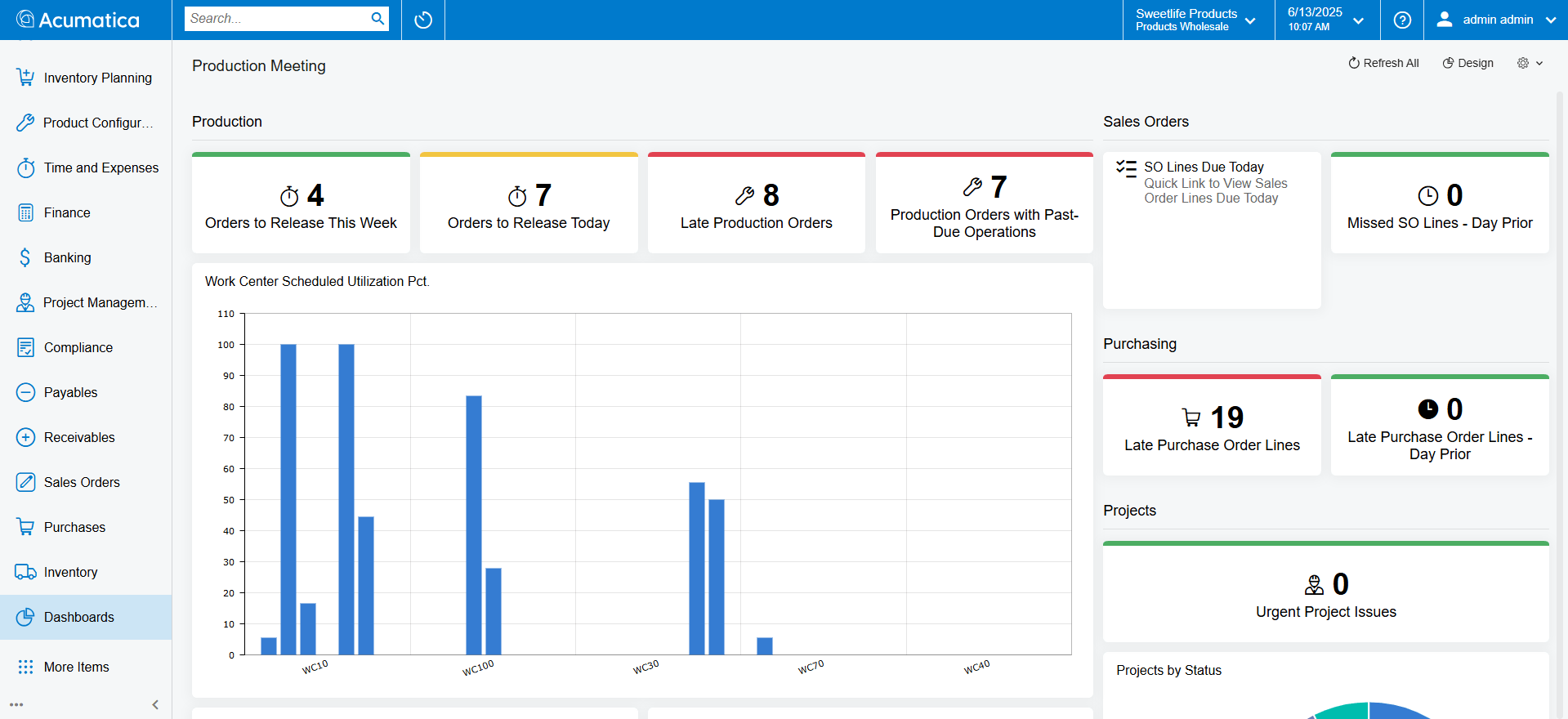
The Advanced Planning and Scheduling (APS) engine is new in 2026 R2. It schedules production forward or backward, using finite or infinite logic, against your real calendars, shifts and efficiencies.
Forward scheduling starts from a date and shows the earliest finish. Backward scheduling starts from a due date and shows the latest start.
The finite or infinite choice is made by work centre. Treat your bottleneck as finite, and the system won’t load it beyond what it can do. Treat a work centre that is rarely a constraint as infinite, and it won’t hold up the rest of the schedule.
Scheduling also works to the minute. That helps where operations are short and sequences are tight.
For the planner, the gain is a schedule that reflects the limits of your shop, not the capacity you’d like to have. Promise dates then rest on something you can defend.
Shop Floor Kiosk 2.0: what operators can now do
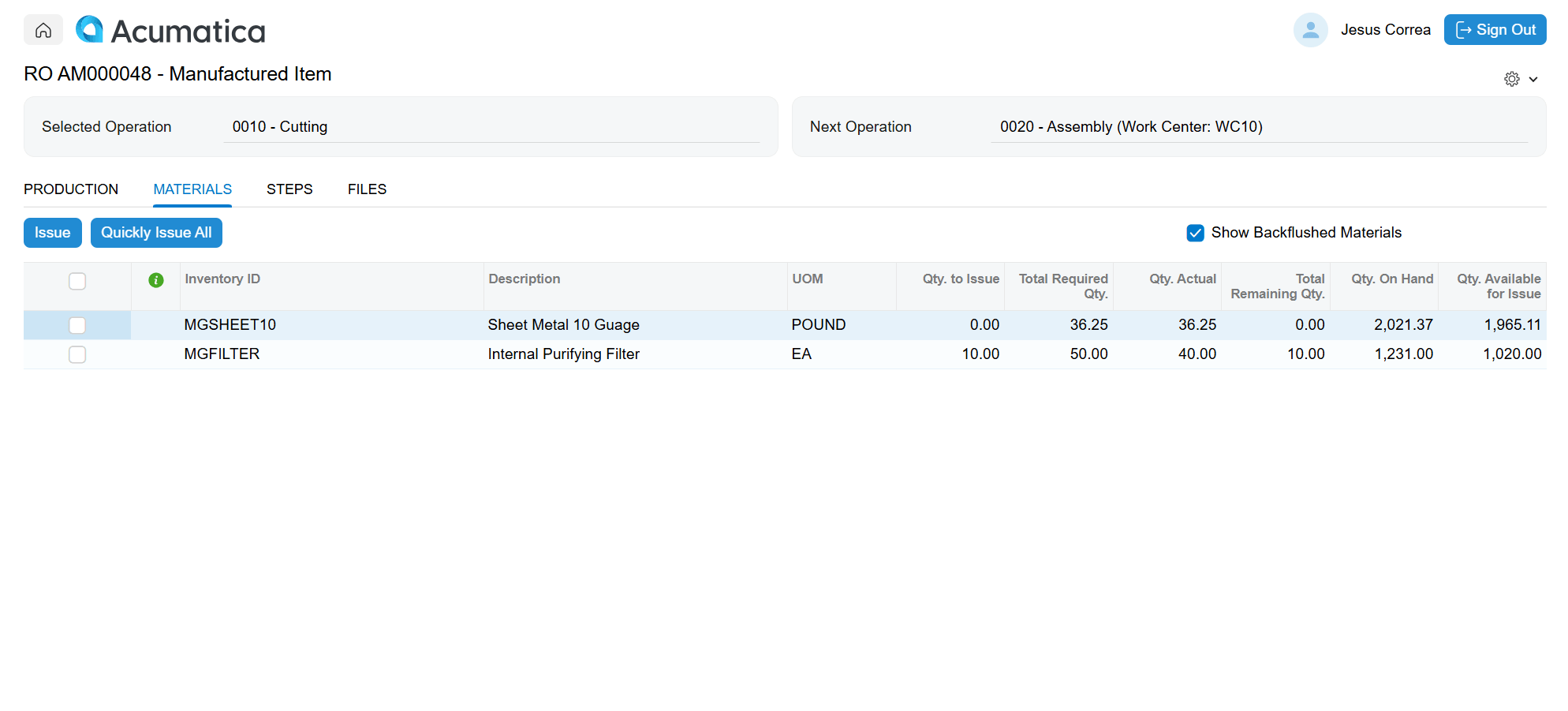
The Shop Floor Kiosk is the touch screen operators use to report work. Acumatica says the expanded kiosk becomes the only screen operators need. In 2026 R2, they can:
Issue materials to a specific operation, not only to the order. That gives more accurate work-in-progress costing.
Add a substitute material when the planned one isn’t available.
Capture lot and serial attributes as the work completes, such as a cure date or an inspection result.
Record scrap and correct quantities on the spot.
Reverse a mistake and receive byproducts.
Log labour.
Clock onto several job operations at the same time.
View digital CAD drawings.
Each of these replaces a step that someone would otherwise do later at a desk. When the entry is made at the kiosk, the stock record and the job cost update as the work happens. There’s less reconciling afterwards.
It also changes who sees what. The stockroom, cost accounting and the planner all work from what the operator entered, so the quality of that entry matters more.
MRP and DRP: safety stock and reorder points planned separately
On the planning side, MRP and DRP now plan safety stock and reorder points as separate methods. That includes Min./Max. and fixed reorder quantity options.
In plain terms, you can decide how much buffer to hold against variation and when to reorder as two separate choices. You can also replenish up to a maximum, or in consistent batch sizes, depending on the item.
Engineering change orders
Engineering change orders give you control over changes to a product’s design. Bills of materials and routings carry versions with pending, active and historical status.
Phase-in and phase-out dates control which components a work order uses, so obsolete parts aren’t consumed after a change. You can also see how a pending change affects open production orders before you apply it, and apply it to some orders while holding others.
AI for production: new inquiries for the AI Assistant
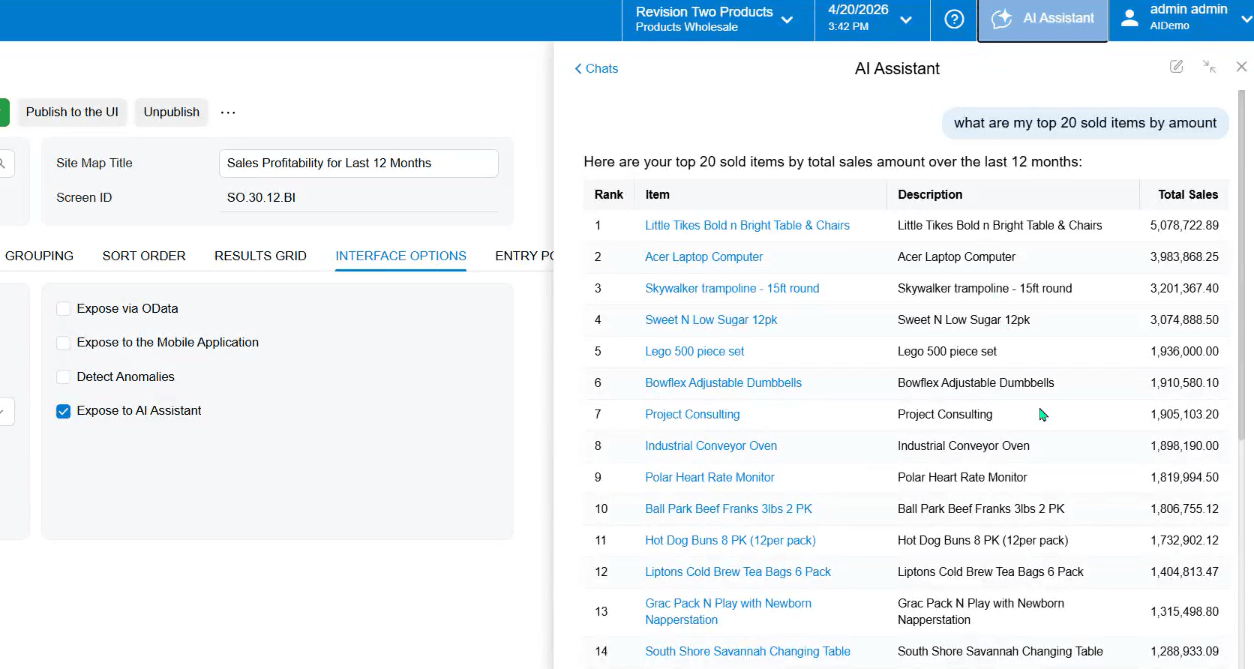
Acumatica has added new manufacturing Generic Inquiries so the AI Assistant can answer questions about schedule performance, material needs and production order risk.
A planner can ask in plain language and get an answer from live data. For example, you can ask which production orders are at risk.
Acumatica’s launch session also described work centre delay analytics. The AI compares live execution speeds with historical standards and flags work centres that are slowing down. It looks for the cause, such as a material shortage or machine downtime, and suggests re-routing before a delivery date is affected.
The assistant answers from your data. That puts weight on the kiosk. If operators report at the operation, the answers about the schedule have something solid to work from.
AI agents that act on events are further out. Acumatica describes them as its direction, not a feature you can switch on today. We explain what ships now and what comes next in the main article.
What it means for discrete and for process manufacturers
Discrete manufacturers. Finite capacity and minute-level scheduling support tighter assembly sequencing and more reliable customer promise dates. Engineering change orders help changes reach the floor, so you don’t build an outdated version.
Process and hybrid manufacturers. Lot and serial attributes captured at the kiosk support traceability and batch records. Controlled substitution helps keep a line running when a raw material runs short.
What to weigh up
The kiosk needs operators to report at the operation. That’s a change in habit as well as a feature.
A new scheduling engine changes how plans are produced. Test it against your current schedule before you rely on it.
AI answers are only as good as your data. Clean records and consistent reporting matter more once anyone can ask questions about them.
Existing manufacturing customers should check one change. The unified release process for manufacturing-related inventory transactions is now permanently enabled, so look at anything that relied on the older behaviour.
Key takeaways
The new APS engine schedules against real limits. You choose finite or infinite by work centre, schedule forward or backward, and plan to the minute.
The kiosk does more of the reporting. Operators issue to the operation, substitute materials, capture lot and serial attributes and correct entries on the spot.
MRP and DRP plan safety stock and reorder points separately.
The AI Assistant has new manufacturing inquiries. Planners can ask about schedule performance, material needs and order risk. It can also flag work centres that are running slower than usual.
Engineering changes are controlled. BOMs and routings are versioned, phase-in and phase-out dates decide which components are used, and you can see how a pending change affects open orders.
Thinking about moving to 2026 R2?
Start with our guide, Upgrading to Acumatica 2026 R2: what you gain and what to check first. It covers what has changed, the Classic UI retirement and what to look at before you move.
Then, if you want to talk it through:
AcuPower customers
Book a Call – UK, Europe & South Africa
Acumatica partners short on capacity
Book a Call – UK, Europe & South Africa
If you use Acumatica through another partner, ask them about upgrading to 2026 R2.
Comments (0)
No comments yet
Be the first to comment


 104
104